

Apple’s iOS 26 marks a subtle but strategically significant evolution in how documents are handled on mobile devices. While many updates arrive quietly through refinements to existing apps, Apple occasionally introduces entirely new system-level applications that signal a broader shift in user experience philosophy. With iOS 26 and iPadOS 26, Apple has done exactly that by launching the Preview app, a familiar name for Mac users, now reimagined for touch-first devices.
This move may seem incremental at first glance, but within the tech industry, it represents a deliberate attempt to close long-standing productivity gaps between macOS and Apple’s mobile platforms. The Preview app’s arrival on iPhone and iPad is not just about viewing PDFs or images—it reflects Apple’s growing confidence that mobile devices can handle serious document workflows without compromise.
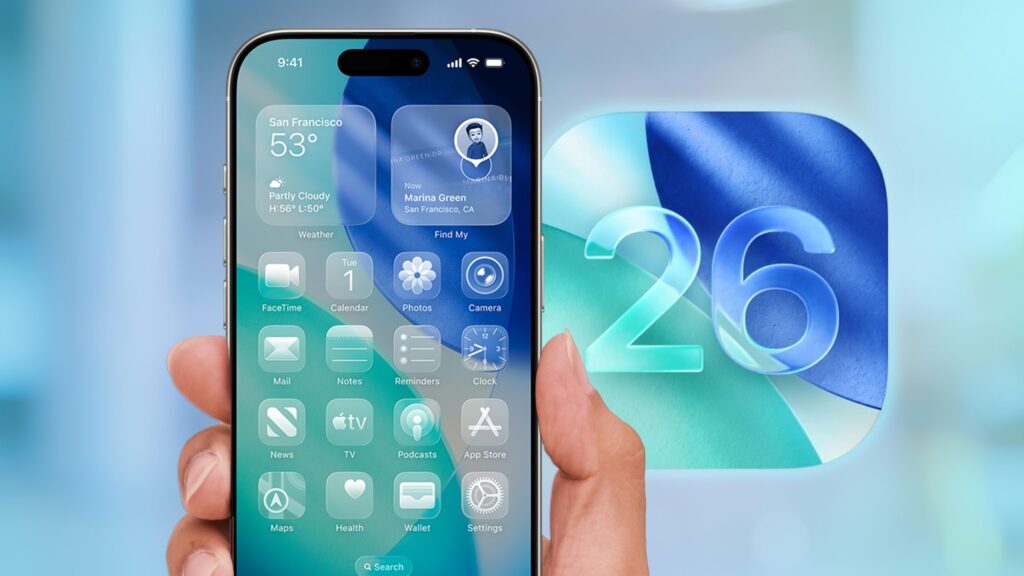
Preview App’s Evolution from macOS to iOS and iPadOS
Preview has existed on macOS for decades as a lightweight yet powerful utility for viewing PDFs, images, signatures, and scanned documents. It has long been favored by professionals for its simplicity and speed, often replacing bulky third-party tools. Until iOS 26, however, Apple relegated document viewing on iPhone and iPad primarily to the Files app, which acted as both storage manager and viewer.
By extracting Preview into a standalone app, Apple has effectively modularized document workflows. This mirrors how Pages, Numbers, and Keynote documents are stored within Files but open in their respective apps. The decision brings architectural clarity and allows Preview to evolve independently, free from the constraints of being embedded within a file browser.
Why Apple Created a Separate Preview App
From a platform design perspective, Apple’s decision is rooted in usability and scalability. As PDFs, scanned forms, and image-based documents have become central to digital life—especially in finance, real estate, education, and government—users increasingly expect professional-grade document handling on mobile devices.
The Files app, while powerful, was never designed to be a full document editor. Its Quick Look feature provided fast previews, but juggling multiple documents often felt slow and fragmented. Preview solves this by becoming a dedicated workspace rather than a secondary view layered inside a file manager.
This separation aligns with Apple’s long-term vision of transforming iPad and iPhone into legitimate computing platforms rather than accessory devices.
Preview App Features in iOS 26 and iPadOS 26
Preview on mobile platforms offers a comprehensive toolkit designed for both casual and professional use. It supports PDFs and images, allowing users to open files directly from the Files app or cloud storage providers.
Users can create blank pages for sketches or handwritten notes, annotate documents using Apple Pencil or touch input, and fill out interactive PDF forms using AutoFill. Signature tools allow for legally binding document sign-offs, while page management features enable users to add, remove, rearrange, or duplicate pages with ease.
Importantly, Preview provides a centralized library view, displaying all supported documents in one place. This dramatically reduces friction for users who routinely work across multiple files.
Multitasking Redefined on iPhone
One of Preview’s most understated advantages lies in how it enhances multitasking, even on smaller screens. With iOS 26, users can keep a PDF open in Preview while simultaneously navigating other documents in the Files app.
This dual-app workflow enables rapid context switching through the app switcher, making document comparisons faster and less disruptive. For users handling contracts, invoices, or verification documents, this alone represents a meaningful productivity gain.
Rather than forcing users to close one document before opening another, iOS 26 finally embraces parallel workflows.
Preview’s Impact on iPad Productivity
The Preview app truly shines on iPad, especially when paired with iPadOS 26’s updated windowing system. Users can now maintain persistent window layouts where Preview occupies a large primary workspace while Files or other apps remain docked alongside it.
This configuration mirrors desktop-style workflows and significantly enhances efficiency. For example, users can browse folders, open PDFs instantly, annotate them, and return to browsing without losing context.
From a tech-industry perspective, this represents Apple’s continued push to position the iPad as a laptop alternative—particularly for professionals in legal, education, and creative fields.
Enhanced PDF Editing Tools Bring Desktop Power to Mobile
Preview’s editing capabilities on iOS 26 are closer than ever to the macOS experience. Users can mark up documents, insert text boxes, highlight content, and sign forms without relying on third-party apps.
Page manipulation tools allow users to reorganize complex PDFs, making it easier to compile or revise multi-page documents. For industries where PDFs are the dominant file format, this update removes one of the biggest historical limitations of mobile platforms.
By embedding these tools at the system level, Apple ensures consistency, reliability, and long-term support.
Apple Pencil Integration and Handwritten Workflows
Apple Pencil integration elevates Preview from a utility app into a creative and professional tool. Users can sketch diagrams, annotate blueprints, or write notes directly onto documents with low latency and precise control.
This is particularly valuable for educators, architects, engineers, and students who rely on handwritten input. Preview’s blank page creation feature also allows it to double as a lightweight note-taking canvas when needed.
From a design standpoint, Apple has effectively blurred the line between document viewer and creative workspace.
How Preview Changes Document Handling Across the Apple Ecosystem
The introduction of Preview on iOS and iPadOS reinforces Apple’s ecosystem strategy. Documents edited on iPhone can be seamlessly continued on iPad or Mac, with changes syncing through iCloud.
This continuity reduces dependency on third-party apps and strengthens Apple’s first-party software stack. For enterprise users, it simplifies device management and training, as the same app behavior persists across platforms.
In the long run, Preview could become a foundational layer for future document-related features, including AI-assisted summarization or smart form processing.
User Reactions and Early Feedback
Early reactions to Preview have been mixed, highlighting Apple’s challenge in changing established habits. Some users appreciate the clarity and improved multitasking, while others feel the Files app was sufficient for their needs.
Criticism has largely centered around automatic file-opening behavior and the learning curve associated with adjusting workflows. However, from an industry perspective, such friction is common when platforms evolve.
Historically, Apple’s most controversial changes often become normalized over time as users adapt and developers build around them.
Why Preview Signals Apple’s Long-Term Strategy
Preview’s launch is not an isolated event. It aligns with broader trends within Apple’s software roadmap, including modular apps, deeper multitasking, and professional-grade tools on mobile devices.
By strengthening document workflows, Apple reduces one of the last barriers preventing iPad and iPhone from fully replacing laptops for certain users. This strategy also supports Apple’s hardware ambitions, particularly for larger iPads and productivity-focused accessories.
For developers and enterprises, it signals that Apple views document management as a core system function rather than an afterthought.
Conclusion: A Quiet but Powerful Update
While Preview may not generate the excitement of flashy visual features, its impact is profound. It addresses real-world productivity pain points and demonstrates Apple’s commitment to evolving mobile platforms into serious work devices.
As users spend more time handling digital paperwork, contracts, and scanned documents, Preview positions iOS 26 and iPadOS 26 as capable, efficient, and professional environments.
In the broader tech landscape, this update underscores a simple truth: meaningful innovation often happens not through spectacle, but through thoughtful refinement.
FAQs
1. What is the Preview app in iOS 26?
Preview is a new system app that allows viewing, editing, and annotating PDFs and images on iPhone and iPad.
2. Is Preview available on both iPhone and iPad?
Yes, Preview is included in iOS 26 and iPadOS 26.
3. How is Preview different from the Files app?
Files manages storage, while Preview focuses on document viewing, editing, and multitasking.
4. Can Preview edit PDFs?
Yes, users can annotate, sign, rearrange pages, and fill forms.
5. Does Preview support Apple Pencil?
Yes, it offers full Apple Pencil support for drawing and handwriting.
6. Can I still use Quick Look in Files?
Yes, Quick Look remains available for fast previews.
7. Does Preview replace third-party PDF apps?
For many users, it may reduce the need for external apps.
8. Are documents synced across devices?
Yes, via iCloud and the Apple ecosystem.
9. Can Preview create new documents?
Users can create blank pages for sketches or notes.
10. Is Preview mandatory to use?
No, users can continue managing files as before if preferred.