

In a move that merges convenience with cutting-edge wearable technology, Meta has officially launched WhatsApp for Apple Watch, marking a significant milestone in the evolution of mobile communication. The app, designed for Apple Watch Series 4 and later models running watchOS 10 or newer, transforms the wristwatch into a full-fledged messaging companion.
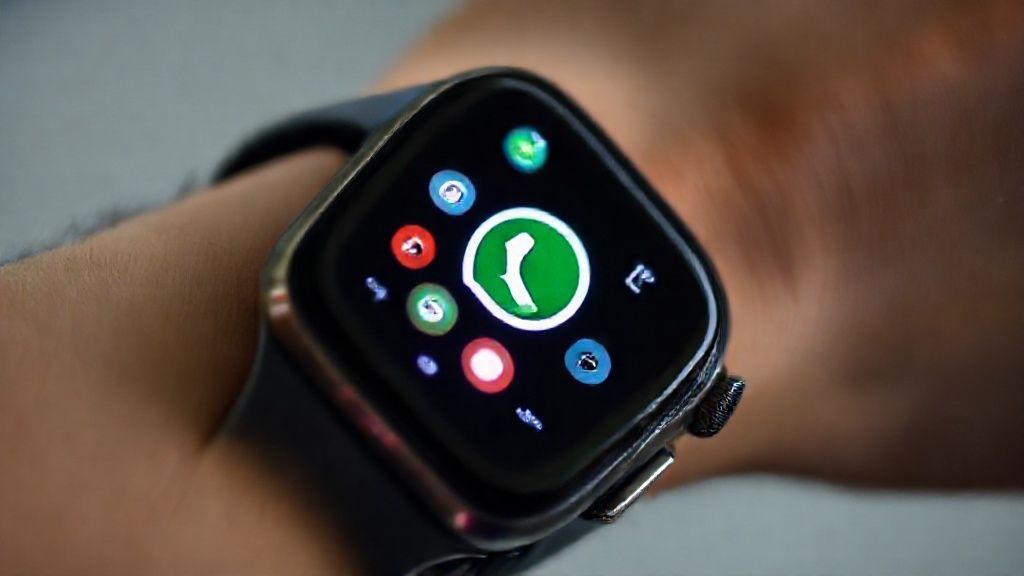
For years, users have wanted an official way to use WhatsApp directly from their Apple Watch — not just to receive notifications but to actually read, reply, and interact with messages without constantly reaching for their iPhones. This long-awaited feature now makes that dream a reality.
WhatsApp for Apple Watch is more than a lightweight extension of the phone app; it represents Meta’s ongoing vision to bring immersive communication to every device — seamlessly bridging the digital world between phone, wrist, and voice.
Why WhatsApp for Apple Watch Matters in the Modern Tech Landscape
In a world where communication happens at lightning speed, wearable devices like smartwatches have become central to staying connected. But most smartwatch messaging apps have remained limited, serving as passive notification centers rather than active communication tools.
WhatsApp’s Apple Watch version changes that dynamic. With full message support, reactions, and even voice message capabilities, Meta is pushing the boundaries of what wrist-based communication can do.
This update also signals a broader trend: the convergence of AI, wearables, and privacy-focused communication. The integration allows WhatsApp to respond to modern user expectations — fast replies, expressive communication, and total data security — all within the constraints of a small wearable interface.
Also Read: Tesla Apple Watch App Turns Your Watch Into a Car Key
The Features That Redefine Messaging on the Wrist
The WhatsApp for Apple Watch app introduces an array of features designed for comfort and practicality. Here’s what makes it stand out:
1. Call Notifications
Users can now view incoming WhatsApp call alerts directly on their watch. Whether it’s a voice or video call, your Apple Watch will display who’s calling so you can decide whether to answer on your phone or dismiss the alert.
2. Full Message Viewing
Gone are the days of truncated previews. WhatsApp now allows users to read entire messages — no matter the length — directly on their wrist. This enables better understanding and responsiveness without needing to pick up your phone.
3. Writing and Sending Messages
With Apple Watch’s built-in dictation and quick reply features, you can compose text messages effortlessly. You can use voice dictation, pre-set phrases, or even Scribble to write individual letters.
4. Voice Messages
Voice notes have long been a signature part of WhatsApp’s global success. Now, with Apple Watch integration, users can record and send short voice messages directly from their wrist — a first for Meta’s smartwatch experience.
5. Emoji Reactions
Expressive communication is part of modern texting. WhatsApp brings quick emoji reactions to Apple Watch, allowing users to respond instantly to incoming messages with just a tap.
6. Enhanced Media Display
The new app improves the clarity of images, stickers, and shared media. While you won’t watch videos on your wrist, you’ll see high-quality previews that keep conversations visual and lively.
7. Chat History
WhatsApp for Apple Watch lets users scroll through more of their recent conversation history. You can catch up on older messages without needing to reopen the iPhone app every time.
Privacy at the Core: End-to-End Encryption on Every Device
Meta has reaffirmed that end-to-end encryption remains central to WhatsApp’s operation — and that includes the Apple Watch version. All messages, calls, and reactions remain private between sender and receiver, with no exceptions.
For privacy-conscious users, this is key. Many smartwatch apps rely on cloud mirroring or third-party APIs, which can risk exposure of sensitive data. WhatsApp’s official integration ensures encryption is preserved across devices using Apple’s secure architecture and Meta’s internal encryption protocols.
Meta’s Strategic Vision: Expanding WhatsApp Beyond Smartphones
The launch of WhatsApp for Apple Watch isn’t an isolated move; it’s part of Meta’s broader ecosystem strategy. From Ray-Ban Meta smart glasses to Meta Quest headsets, Meta is shaping a connected universe where communication moves fluidly across platforms.
WhatsApp’s expansion into wearables shows how Meta envisions contextual connectivity — allowing people to interact with technology without friction or dependence on large screens.
The company has been steadily building toward this through incremental steps: message synchronization across devices, standalone desktop apps, and now, full smartwatch integration. The Apple Watch addition is perhaps the most consumer-centric evolution yet, targeting the everyday user who values both efficiency and privacy.
Also Read: Mercedes-Benz Apple Watch app for Effortless Car Control
Apple and Meta: A Subtle Collaboration in a Competitive Space
While Apple and Meta often compete in overlapping markets — especially in AR/VR and app ecosystems — WhatsApp’s native Apple Watch app demonstrates mutual benefit. Apple’s wearable platform gains a powerful communication app that users have long demanded, while Meta ensures WhatsApp maintains dominance as the world’s go-to messenger.
Behind the scenes, this collaboration also strengthens both companies’ positions in the wearable communication economy. By combining Apple’s robust hardware with Meta’s global communication infrastructure, they’ve created a use case that benefits millions of iPhone and Apple Watch users simultaneously.
Enhancing the Daily Workflow: Who Benefits Most
The practicality of WhatsApp on Apple Watch extends far beyond casual users. Here are some examples of who stands to gain the most:
- Professionals on the move: Those who can’t constantly check their phones can stay connected with clients or teams via quick replies or voice notes.
- Fitness enthusiasts: Runners, cyclists, and gym-goers can respond to urgent chats hands-free during workouts.
- Commuters and travelers: Quick voice replies from the wrist make communication seamless while navigating airports, metros, or taxis.
- Accessibility users: Those who rely on Apple Watch’s accessibility features can now interact with WhatsApp in more inclusive ways.
In short, WhatsApp for Apple Watch transforms the smartwatch into a mini communication hub that complements users’ lifestyles rather than distracting from them.
Technical Overview: How WhatsApp for Apple Watch Works
The new WhatsApp app connects seamlessly with your iPhone via Bluetooth and Wi-Fi. Once installed and authorized, it mirrors your existing chats while maintaining message encryption.
Unlike earlier third-party solutions that required mirroring notifications, Meta’s official app provides native message handling — meaning you can open, respond, and even scroll through threads independently.
It’s built with watchOS 10 optimization, ensuring smoother animations, better power management, and a responsive user interface that fits Apple Watch’s small display. Early reviews suggest it performs efficiently, maintaining battery life and fast synchronization.
User Feedback and the Road Ahead
While the app has just launched, early testers and beta users have shared overwhelmingly positive feedback. Most praise the clean design, intuitive navigation, and how the app prioritizes essential features over clutter.
Meta has confirmed that this release is just the beginning. Future updates are expected to introduce AI-driven smart replies, voice assistant integration, and even cross-device message recall.
This aligns with Meta’s broader commitment to AI-first product design — empowering users with intelligent, context-aware features that predict needs rather than waiting for input.
The Broader Implications: Meta’s Expansion in the Wearable AI Space
Meta’s ambitions go beyond messaging. The company is gradually building an interconnected wearable ecosystem. Ray-Ban Meta smart glasses already enable users to capture and share moments using voice commands. With WhatsApp now on Apple Watch, Meta is setting the stage for AI-integrated communication that operates naturally across devices.
In the coming years, we may see Meta AI assistants capable of replying to messages autonomously, summarizing notifications, or translating conversations in real time — directly on wearable devices.
This is where the intersection of AI, privacy, and wearables becomes the next frontier for Meta’s innovation.
Also Read: How to charge Apple Watch first time? (With Safety Tips)
Conclusion: A Simple App That Redefines Connection
WhatsApp for Apple Watch is more than a convenience feature; it’s a statement about how modern technology should feel — intuitive, secure, and human-centered.
By combining effortless usability with end-to-end encryption and powerful functionality, Meta has not only delivered one of the most anticipated app updates in recent years but also demonstrated how the boundaries between hardware and communication are dissolving.
From wrist to phone to future AI-powered wearables, the evolution of WhatsApp continues to show that meaningful connection isn’t just about devices — it’s about bringing people closer, wherever they are.
FAQs
1. What devices support WhatsApp for Apple Watch?
It’s available for Apple Watch Series 4 and later, running watchOS 10 or newer.
2. Can I send and receive messages directly from the watch?
Yes. You can read, compose, and send text and voice messages right from your Apple Watch.
3. Does WhatsApp for Apple Watch support calls?
You’ll receive call notifications showing who’s calling, but you’ll still need your iPhone to answer.
4. Is the app available worldwide?
Yes, WhatsApp for Apple Watch is rolling out globally through the App Store.
5. How secure are messages on the Apple Watch version?
All messages are protected by WhatsApp’s end-to-end encryption protocol, ensuring complete privacy.
6. Can I view media like images or stickers?
Yes, you can view images and stickers with improved clarity directly on the watch screen.
7. Will voice messages work without the iPhone?
You can record and send voice notes using the Apple Watch microphone, but connectivity depends on your iPhone.
8. Does the app drain battery life quickly?
No, it’s optimized for power efficiency under watchOS 10.
9. Are chat histories synced with the iPhone?
Yes. Your message history syncs automatically between your iPhone and Apple Watch.
10. What’s next for WhatsApp on wearables?
Meta plans to integrate AI-powered smart replies and enhanced voice command features in future updates.