

The evolution of digital reading has been closely tied to the success of Amazon’s Kindle ecosystem. For over a decade, Kindle devices have defined how millions consume books, offering convenience, portability, and deep integration with a vast content marketplace. However, technological progress often leaves older devices behind, and a major policy shift has accelerated that reality.
With Amazon announcing that Kindle devices released before 2013 will lose access to its ecosystem starting May 20, 2026, a significant number of still-functional devices are effectively being retired. These devices will no longer support purchasing, downloading, or borrowing books directly from the Kindle Store. While this decision aligns with infrastructure and security modernization, it raises serious concerns about digital obsolescence, electronic waste, and user ownership.
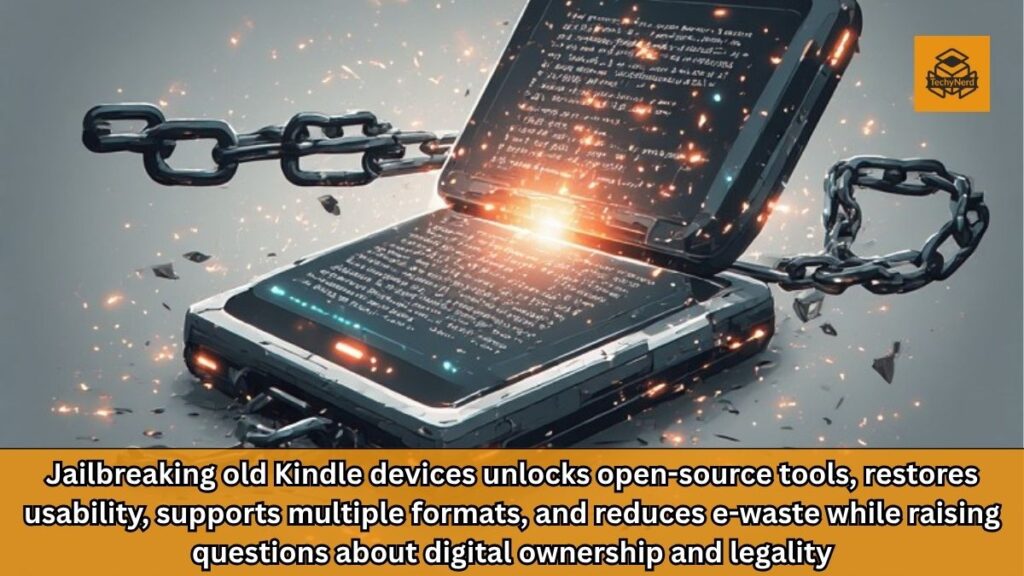
Yet, within this disruption lies an opportunity. Through jailbreaking and open-source tools, these aging devices can be transformed into powerful, independent e-readers, extending their usability far beyond their intended lifecycle.
Understanding the Concept of Jailbreaking in the Kindle Ecosystem
Jailbreaking, in the context of consumer electronics, refers to the process of removing manufacturer-imposed restrictions to gain deeper control over a device. For Kindle devices, this means bypassing Amazon’s locked-down software environment to install third-party applications and enable unsupported features.
Unlike smartphones, where jailbreaking often introduces security vulnerabilities due to constant network connectivity, older Kindle devices operate in a largely offline environment. Many rely on outdated 3G networks that are no longer operational, significantly reducing exposure to external threats. As a result, the risk profile for jailbreaking a legacy Kindle is comparatively lower, though not entirely negligible.
From a technical standpoint, jailbreaking leverages firmware vulnerabilities or update mechanisms to install custom binaries. Once successful, users gain the ability to run unsigned code, opening the door to a wide range of enhancements, including support for additional file formats and user interface improvements.
The Catalyst: Amazon’s Ecosystem Restrictions
Amazon’s decision to discontinue support for older Kindle models is rooted in multiple factors, including security, infrastructure costs, and the declining relevance of legacy hardware capabilities. However, for users, the practical impact is stark. Devices that were once fully functional become limited to whatever content is already stored locally.
This shift highlights a broader issue within the tech industry: the tension between platform control and user ownership. While consumers purchase hardware, their ability to use it is often tied to proprietary ecosystems. When access is revoked, the hardware’s value diminishes significantly.
Jailbreaking offers a pathway to reclaim that value. By decoupling the device from its original ecosystem, users can regain control and redefine its functionality.
Identifying Your Kindle Model and Firmware
The first step in any jailbreak process is understanding the specific device being used. Kindle models vary widely in terms of hardware capabilities, firmware versions, and compatibility with jailbreak methods.
Each device can be identified through its serial number and firmware information, accessible via the settings menu. These details are crucial for determining the appropriate jailbreak files and procedures. Using incorrect files can result in failed installations or, in worst cases, permanently unusable devices.
The Kindle community has developed extensive documentation, often hosted on forums and wikis, to assist users in mapping serial numbers to device models. This collective knowledge base is an essential resource, reflecting years of collaborative experimentation and refinement.
Navigating the Jailbreak Process: A Technical Overview
The jailbreak process itself is best understood as a sequence of controlled firmware updates. Users download specific binary files tailored to their device and transfer them via USB. These files are then executed through the Kindle’s update mechanism.
During this process, encountering error messages is not uncommon. In many cases, these errors are expected and even indicative of success. This counterintuitive aspect underscores the importance of following verified guides and understanding the nuances of each step.
One of the defining characteristics of Kindle jailbreaking is its reliance on community-driven resources. Unlike official software updates, these tools are distributed through forums, requiring users to exercise caution and verify file authenticity.
Despite the complexity, the process is accessible to users with moderate technical proficiency. It does not require advanced programming skills but does demand patience, attention to detail, and a willingness to troubleshoot.
Enabling Development Capabilities with MobileRead Kindlet Kit
After achieving a successful jailbreak, the next step involves installing the MobileRead Kindlet Kit (MKK). This component acts as a bridge, enabling the execution of custom applications on the Kindle.
MKK effectively installs developer certificates, allowing the system to recognize and run third-party software. Without this step, the device would remain limited despite being jailbroken.
This stage represents a transition from unlocking the device to actively enhancing its functionality. It lays the groundwork for installing more sophisticated tools and applications.
Verifying System Access Through Launchpad
To confirm that the jailbreak has been executed correctly, users often install a lightweight tool known as Launchpad. This utility operates through keyboard shortcuts, enabling the execution of commands and scripts.
Launchpad serves as both a diagnostic tool and a functional enhancement. By triggering predefined commands, users can verify that the system accepts and processes custom inputs. Successful execution indicates that the device is no longer restricted to its original software environment.
While Launchpad may appear rudimentary compared to graphical interfaces, its simplicity makes it highly effective for testing and basic operations.
Transitioning to a User-Friendly Interface with KUAL
For a more intuitive experience, users can install the Kindle Unified Application Launcher (KUAL). Unlike Launchpad, KUAL provides a graphical interface, allowing users to browse and launch applications with ease.
KUAL transforms the Kindle from a closed system into a customizable platform. Applications appear as selectable items, similar to books, making navigation straightforward even for non-technical users.
This step significantly enhances usability, bridging the gap between technical modification and everyday functionality.
Unlocking Full Potential with KOReader
The installation of KOReader marks the culmination of the transformation process. As an open-source e-book reader, KOReader supports a wide range of file formats, including EPUB, PDF, and many others that are not natively supported by Kindle devices.
Beyond format compatibility, KOReader offers advanced features such as customizable layouts, improved typography, and enhanced navigation. These capabilities often surpass those of the original Kindle software, particularly on older devices.
Performance on legacy hardware may be slower, but the core reading experience remains highly effective. For many users, the ability to access diverse content formats outweighs any minor performance limitations.
Legal and Ethical Considerations
Jailbreaking exists within a complex legal landscape. In some jurisdictions, modifying a device for personal use is permissible, while in others, it may violate laws related to digital rights management.
The Digital Millennium Copyright Act (DMCA) in the United States, for example, includes provisions that restrict the circumvention of technological protections. However, exemptions may apply under certain conditions.
Ethically, the debate centers on user rights versus platform control. Advocates argue that consumers should have full control over devices they own, while critics highlight potential risks related to piracy and security.
Users must carefully evaluate their local laws and consider the implications before proceeding.
The Broader Impact: Sustainability and Digital Ownership
Reviving old Kindle devices through jailbreaking has implications beyond individual use cases. It contributes to reducing electronic waste by extending the lifespan of hardware that would otherwise be discarded.
This approach aligns with broader sustainability goals, emphasizing reuse and resource efficiency. It also challenges the prevailing model of planned obsolescence, encouraging a shift toward more sustainable consumption patterns.
Moreover, it reinforces the concept of digital ownership. By reclaiming control over their devices, users assert their right to determine how technology is used, independent of corporate policies.
Conclusion: A Second Life for Forgotten Devices
The story of jailbreaking an old Kindle is ultimately about resilience and ingenuity. It demonstrates how community-driven innovation can overcome limitations imposed by proprietary systems.
While the process requires effort and carries certain risks, the rewards are substantial. A device once rendered obsolete can become a versatile, open-source reading platform, capable of meeting modern needs.
As the tech industry continues to evolve, such initiatives highlight the importance of adaptability and user empowerment. They remind us that technology’s value is not solely defined by its manufacturer but by the creativity and determination of its users.
FAQs
1. What is Kindle jailbreaking?
It is the process of removing software restrictions to install custom apps.
2. Is jailbreaking a Kindle safe?
It carries risks but is relatively safer on offline legacy devices.
3. Can jailbreaking damage my Kindle?
Yes, incorrect steps can permanently brick the device.
4. What is KOReader?
An open-source eBook reader supporting multiple formats like EPUB and PDF.
5. Why is Amazon ending support for old Kindles?
Due to outdated hardware, security, and infrastructure limitations.
6. Do I need internet for jailbreaking?
No, most steps are done via USB transfer.
7. Is jailbreaking legal?
It depends on local laws and usage.
8. Can I still read books after support ends?
Yes, using sideloading and third-party apps.
9. What is KUAL?
A launcher that provides a GUI for running Kindle apps.
10. Does jailbreaking improve performance?
Not necessarily, but it greatly expands functionality.