

Extended Reality has long promised to revolutionize how humans interact with digital environments, yet its adoption in real-world industries has remained limited. Devices have often been perceived as experimental, expensive, or confined to gaming and entertainment. However, Samsung’s latest update to the Galaxy XR headset signals a decisive shift in this narrative.
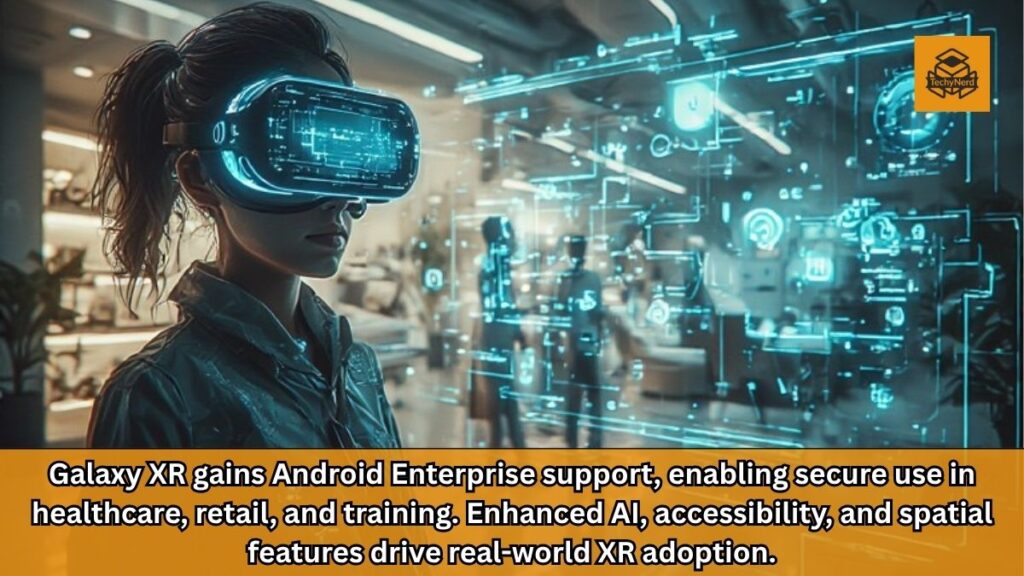
With the integration of Android Enterprise capabilities, Galaxy XR is no longer just a futuristic gadget. It is evolving into a practical, scalable, and secure solution for industries such as healthcare, retail, manufacturing, and training. This transformation reflects a broader trend in the technology sector, where immersive computing is transitioning from novelty to necessity.
The Significance of Android Enterprise Integration
The inclusion of Android Enterprise support is arguably the most critical element of this update. Android Enterprise is a framework designed to provide businesses with advanced tools for device management, application deployment, and data security. By integrating this framework into Galaxy XR, Samsung has effectively bridged the gap between consumer-grade XR hardware and enterprise-grade requirements.
This integration introduces centralized management capabilities that allow IT administrators to control multiple devices efficiently. Enterprises can deploy applications through Managed Google Play, ensuring that employees have access to the tools they need without compromising security. Updates can be rolled out seamlessly, reducing downtime and maintaining consistency across devices.
Security is another major advantage. Industries like healthcare and retail handle sensitive data, making robust protection essential. Android Enterprise provides encryption, policy enforcement, and secure authentication mechanisms, enabling organizations to adopt XR technology with confidence.
Expanding XR Into Healthcare and Retail
One of the most compelling outcomes of this update is the Galaxy XR’s newfound viability in real-world industries. In healthcare, XR can be used for training medical professionals, visualizing complex procedures, and assisting in diagnostics. The addition of enterprise-grade security ensures that patient data remains protected, addressing one of the primary concerns in healthcare technology adoption.
In retail, the applications are equally transformative. Employees can use XR headsets for inventory management, customer assistance, and immersive product demonstrations. The ability to overlay digital information onto physical environments enhances efficiency and improves customer experiences.
Training and manufacturing sectors also stand to benefit significantly. XR enables immersive training simulations that replicate real-world scenarios, reducing risks and improving learning outcomes. In manufacturing, workers can access real-time data and instructions, increasing productivity and reducing errors.
Device Management and Deployment at Scale
For enterprise adoption to succeed, scalability is essential. Samsung’s update introduces multiple device enrollment methods, including zero-touch enrollment, QR code setup, and Device Policy Controller provisioning. These options simplify the onboarding process, allowing organizations to deploy devices quickly and efficiently.
Zero-touch enrollment is particularly valuable for large enterprises. It enables devices to be configured automatically upon first use, eliminating the need for manual setup. This reduces the workload for IT teams and ensures a consistent configuration across all devices.
The integration with Managed Google Play further enhances deployment capabilities. Organizations can curate a selection of approved applications and distribute them securely to employees. This controlled environment minimizes risks associated with unauthorized software and ensures compliance with organizational policies.
Enhancing Everyday User Experience
While the enterprise features are the highlight of this update, Samsung has also introduced several improvements for everyday users. These enhancements demonstrate a commitment to balancing professional functionality with user-friendly design.
The updated virtual keyboard allows users to customize its position and depth within the XR environment. This level of personalization improves comfort and usability, particularly for extended sessions. The system remembers user preferences, ensuring a consistent experience across sessions.
Another notable feature is desktop session restore, which enables users to quickly reopen their last three applications. This functionality mirrors the multitasking capabilities of traditional computing devices, making the transition to XR more seamless.
Accessibility Advancements: Inclusive XR Design
Accessibility is a critical aspect of modern technology, and Samsung has taken significant steps to improve inclusivity in Galaxy XR. The update expands single-eye tracking capabilities, allowing users with varying visual or mobility conditions to interact with the device more effectively.
Pointer customization further enhances accessibility by enabling users to tailor interactions to their specific needs. These features ensure that XR technology is not limited to a narrow audience but is accessible to a broader range of users.
By prioritizing accessibility, Samsung is aligning with industry trends that emphasize inclusive design. This approach not only expands the user base but also reinforces the company’s commitment to responsible innovation.
Spatial Computing and Content Integration
The update introduces advanced spatial computing features that enhance how users interact with digital content. Auto Spatialization is a standout addition, enabling 2D content to be transformed into immersive 3D experiences.
This capability extends to web browsing and video consumption, with support for platforms like Chrome and YouTube. By converting traditional media into spatial formats, Galaxy XR offers a more engaging and immersive experience.
Another innovative feature is wall panel alignment, which integrates virtual content with physical surroundings. This creates a seamless blend of digital and real-world environments, enhancing both productivity and entertainment applications.
The Role of AI in Galaxy XR
Artificial intelligence plays a central role in the Galaxy XR ecosystem. The device leverages advanced AI capabilities to streamline interactions, automate tasks, and enhance user experiences. Features powered by multimodal AI enable users to interact with the device using voice, gestures, and contextual inputs.
AI also facilitates rapid application access, intelligent recommendations, and immersive navigation experiences. For example, users can explore maps in a fully immersive environment, receiving real-time suggestions and directions.
The integration of AI-driven video generation tools further expands the creative potential of the device. These capabilities position Galaxy XR as not only a productivity tool but also a platform for content creation and innovation.
Balancing Productivity and Entertainment
Galaxy XR’s versatility is evident in its ability to function as both a productivity tool and an entertainment device. The concept of a “laptop for your face” highlights its potential to replace traditional computing setups in certain scenarios.
Users can run Android applications directly within the XR environment, creating a virtual workspace that transcends physical limitations. This flexibility is particularly valuable for remote work and collaborative environments.
At the same time, the device supports gaming and immersive experiences, offering a well-rounded ecosystem that caters to diverse user needs. This dual functionality enhances its appeal and broadens its market potential.
Challenges and Market Considerations
Despite its advancements, Galaxy XR faces challenges that could impact its adoption. The device’s price point remains a significant barrier for many users and organizations. While the enterprise features justify the cost for certain use cases, widespread adoption will depend on further cost optimization.
User acceptance is another factor. Transitioning from traditional computing devices to XR requires a shift in mindset and workflows. Organizations must invest in training and change management to fully realize the benefits of XR technology.
However, the integration of enterprise capabilities and continuous improvements suggests that Samsung is committed to addressing these challenges and driving adoption.
Conclusion: A Turning Point for XR in Enterprise Environments
Samsung’s latest update for Galaxy XR represents a turning point in the evolution of extended reality technology. By integrating Android Enterprise capabilities, enhancing user experience, and expanding accessibility, the company has positioned the device as a viable solution for real-world applications.
This update underscores the growing importance of XR in industries such as healthcare, retail, and manufacturing. As technology continues to evolve, devices like Galaxy XR are likely to play a central role in shaping the future of work and digital interaction.
The journey from experimental innovation to enterprise necessity is well underway, and Samsung’s Galaxy XR is at the forefront of this transformation.
FAQs
1. What is the Galaxy XR enterprise update?
It adds Android Enterprise support, enabling business-grade security and device management.
2. Why is Android Enterprise important for XR?
It provides secure app deployment, device control, and scalability for organizations.
3. Which industries benefit from Galaxy XR?
Healthcare, retail, manufacturing, and training sectors benefit significantly.
4. What is zero-touch enrollment?
It allows automatic device setup without manual configuration.
5. How does Galaxy XR improve accessibility?
It adds single-eye tracking and customizable interaction tools.
6. What is Auto Spatialization?
It converts 2D content into immersive 3D experiences.
7. Can Galaxy XR be used for work?
Yes, it supports productivity apps and virtual workspace environments.
8. Does Galaxy XR support AI features?
Yes, it integrates advanced AI for navigation, interaction, and content creation.
9. What is desktop session restore?
It allows users to reopen recently used apps quickly.
10. Is Galaxy XR suitable for gaming?
Yes, it supports immersive gaming alongside enterprise use cases.